Posts

Showing posts from 2012

SSIS - Split records and export to flat files

Image
Today's issue that we've a source database Sybase ASE, and old version is being used as a replica, I'm trying to extract some records, it's almost 750K to 1 Mil records and it needs to be exported to flat files and sent somewhere for further processing. The files has to be no more than 10K records a file and it needs to get a specific naming convention... I've done it differently than what I'm showing in the demo here... and I'll explain why... the main component in the package is the "For Loop Container", then inside the container I'll have a "Data Flow Task". I'll create 4 variables as shown below..       Add a "For Loop Container", configure as attached.. to use the variables and set the limit to 100K here        Basically the first task, is a "Script Task", I'm only using it to debug my variables in a message box, enable or disable to debug, you could use "BreakPoints...

NJSQL Presentation - Let's talk dynamic

Let's talk dynamic - SSIS variables and expressions So yesterday I was honrored to speak before the NJSQL group about "SSIS variables and expressions" I do apologize for my lengthy presentation as I went so deep into small details... but I was just trying to go with the flow, and naswering the questions... I've attached a RAR file,  containing the slide deck  along with the demo scripts.  I hope you get as much out of SQL Server as I have, and Thanks for coming! The slides can downloaded from https://www.box.com/s/9lvnf2cy3mdbluy8ykqo

SSRS - Subscription comments location.

Image
Today I was facing a client's problem in SSRS to edit the comments text for over 120 reports to point to a server name (Host Name) instead of IP, to begin with, it was a bad idea and judgment from the person who created the report. and secondly it's rarely to see a server that gets an IP change too! But the two issues could happen and it's ok, let's face it and fix it. Here's a screen shot, If you're not familiar with the subscription comments. To locate it, just navigate to SQL server management studio (SSMS), and browse the : [ReportServer].[dbo].[Subscriptions] Table the column that has the comments is [ExtensionSettings] just replace the text using your T-SQL query and you're done! the data type of that column in nText, so it won't with T-SQL replace function. so you might use... UPDATE   S    SET     S.ExtensionSettings = T.ExtensionSettings    FROM [ReportServer].[dbo].[Subscriptions]...

MSDTC on server 'Server' is unavailable.

Image
Just a quick post on an error that I got today...     Msg 8501, Level 16, State 3, Line 3 MSDTC on server 'ODCLG29' is unavailable.     That means the "Distributed Transaction Coordinator" service is not running.   ways to get to it...   Type "services.msc" in the run or search command. or go to Control Panel --> administrative tools ---> Services     look for Distributed Transaction Coordinator, you may double click to start it or right click and select start.     You may further read about it here... http://technet.microsoft.com/en-us/library/dd337629(v=ws.10).aspx    

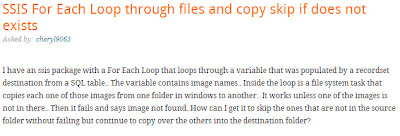
SSIS Foreach Loop Container continue or error

Image
A recent question about how to skip a failure inside a Foreach Loop Container , I'm sharing the answer as it's easy and apparently not everybody is aware of it. So let's assume it's only a simple Foreach Loop Container  that's looping over a files on a network location or even the local disk, getting the file names into a variable and passing it to a file system task to move these files over to another location. The first step will be by creating an OnError event handler for the file system task, and what I mean by that is just click on Event Handlers from the top and then click on the BLUE link in the event handlers and that's it :)   Then look under system variables in the variables window, find the "Propagate" variable and set it to false. So now The Foreach Loop Container is not aware that the file system task has failed therefore does not cause the container to fail and exit. OPTIONAL--you can use the failure P...

Skype as a windows update!

Image
Today I got the normal windows update notification in my tool bar, and was surprised that it's showing Skype as an Important Update! I searched for the KB number and found out that's it's now part of windows updates! http://support.microsoft.com/kb/2692954  

T-SQL Tuesday #33 – Trick Shot – SSRS User Input

Image
It’s T-SQL Tuesday time again, and this time it's about Trick Shots, my trick today is using SSRS to accept user input! Of course it’s not the best way to use SSRS as it’s a presentation layer and so limited in doing that using Parameters and sub-Reports which will fire a code or a stored procedure to update or delete a record…but IT COULD BE DONE!! The Trick: 1-I started by creating a new project in VS 2008, “Report Server Project” type. 2-I’m using SQL 2008 R2 as my testing platform…I’ve created a test DB called “Admin” CREATE DATABASE [Admin] 3-I created a test table called “Employees” contains only 3 columns. Create TABLE Employees ( ID int IDENTITY (1,1), Name varchar(50), Comments varchar(MAX) ) 4- Inserted 4 test records… Insert Employees VALUES('Jason', 'Lazy Employee') ,('Yousef', NULL) ,('John', 'Anything Goes') ,('Smith', NULL) 5-back to VS, Crea...

Loop over .sql files using SSIS

Image
This is fairly easy and simple, the requirement is to loop over a folder full of .sql files, that has some queries and run them on the server! This could be a stress testing queries, create multiple object or drop and recreate indexes queries as in my actual requirement. We'll need a "For EachLoop container "to iterate over the folder, read the files' location into a STRING variable. Add a "Execute SQL Task" inside the container, setup the SQL server connection, then setup the query to be from a file connection. create the file connection, pointing to one of the files. set the delay validation to true, then setup an expression over the Connection String property. That's it!! The package can be downloaded at: https://www.box.com/s/928b2f993c819b64dd53 Hope that helps someone...

Attach AdventureWorks 2012

Image
Quick and easy, but I see people in forums are asking about it... You may download the .MDF file from here: http://msftdbprodsamples.codeplex.com/releases/view/55330 I'd typically download and save it with the rest of the data files, maybe at the default location or any other drive if you prefer. The default location would be: C:\Program Files\Microsoft SQL Server\MSSQL11.MSSQLSERVER\MSSQL\DATA Then, right click on your DATABASES under your server name and select ATTACH Then you'll get the following screen, where you would normally navigate to the download directory and select the advntureworks2012.mdf file. After you click on OK, you will see that the log file is missing and SQL server will display "Not Found", just highlight the log file and click on remove, then OK. You're done!! attached ans ready for testing...